SMTP
Configure outbound email servers used when users send pictures by email or when MAIL-type EDI destinations deliver messages.
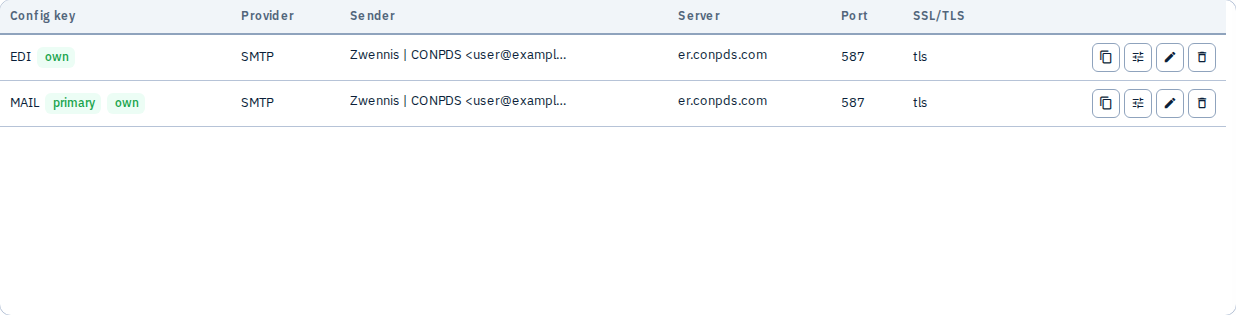
ConPDS operates platform (master) SMTP configurations. Tenants can add their own named configs and an outbound route (primary + optional fallback). When a tenant row is missing, the platform chain is used automatically.
What you can do
- Add SMTP configurations — each has a unique config key (e.g.
MAIL,OPERATIONS) - Set host, port, encryption, credentials — or Microsoft Graph fields when using Graph transport
- Configure sender name, reply-to, BCC per config
- Set primary and fallback on the outbound route panel
- Use master SMTP only — optional tenant-wide switch that skips tenant configs on the route chain
- Send test email — validates connectivity using the same chain as production sends
- Edit or delete existing configs

Platform defaults vs tenant configs
| Layer | When used |
|---|---|
| Tenant SMTP list | Named rows you create under Admin → SMTP |
| Tenant outbound route | Primary config key, then optional fallback key |
| Platform (master) SMTP | Used when tenant has no matching row for a chain step |
| Platform route | Master primary, then master fallback |
Gallery New mail and MAIL EDI destinations without SMTP_CONFIG_PICTURES follow the full chain below.
Send order
Outbound mail tries configs in this order (smtp_send_chain.py):
- Tenant primary (from outbound route)
- Tenant fallback (if configured on route)
- Platform primary
- Platform fallback
Each step is skipped when that phase has no resolvable config row. The first successful send wins; later steps are not tried.
Use master SMTP only
On the outbound route panel, enable Use master SMTP only when you want all chain-based outbound mail (Gallery New mail, MAIL EDI without a pinned config key) to skip the tenant primary/fallback steps and go straight to the platform (master) route.
- Tenant SMTP config rows remain in the list (you can still edit them and run Test configuration on a specific key).
- Primary/fallback selects on the route panel are disabled while the switch is on.
- The switch is stored on the tenant outbound route and is included in Config Export / Import.
EDI MAIL override
When a MAIL destination’s Params include:
SMTP_CONFIG_PICTURES=MY_CONFIG_KEY
only that single tenant SMTP config key is used for that destination. There is no route fallback and no platform chain for that send. If the key does not exist, the send fails.
This pinned-key path is not affected by Use master SMTP only — EDI that names SMTP_CONFIG_PICTURES still resolves that tenant (or master) config key directly. The route panel shows an informational note when pinned configs exist.
Document all MAIL Params in EDI Params reference.
Common workflow
- Review platform defaults — many tenants send successfully without custom SMTP
- Add a tenant config — dedicated relay credentials from your IT team
- Set outbound route — primary = production relay, fallback = backup relay
- Send test email — confirm delivery and spam scoring (SPF/DKIM)
- Reference in EDI — optional
SMTP_CONFIG_PICTURESon MAIL destinations
Tips
- Verify SPF/DKIM with your IT team so inspection emails are not marked as spam
- Use a dedicated service account for SMTP authentication
- After changing SMTP, send a test from Admin and a sample Gallery email send
See also: Address Book, EDI Params — SMTP_CONFIG_PICTURES, Send to Destinations — Email