Terminals
Terminals represent physical or logical locations in your operation (depot lanes, workshops, gate positions). Every inspection case is linked to a terminal, and users typically only see cases for terminals they are assigned to.
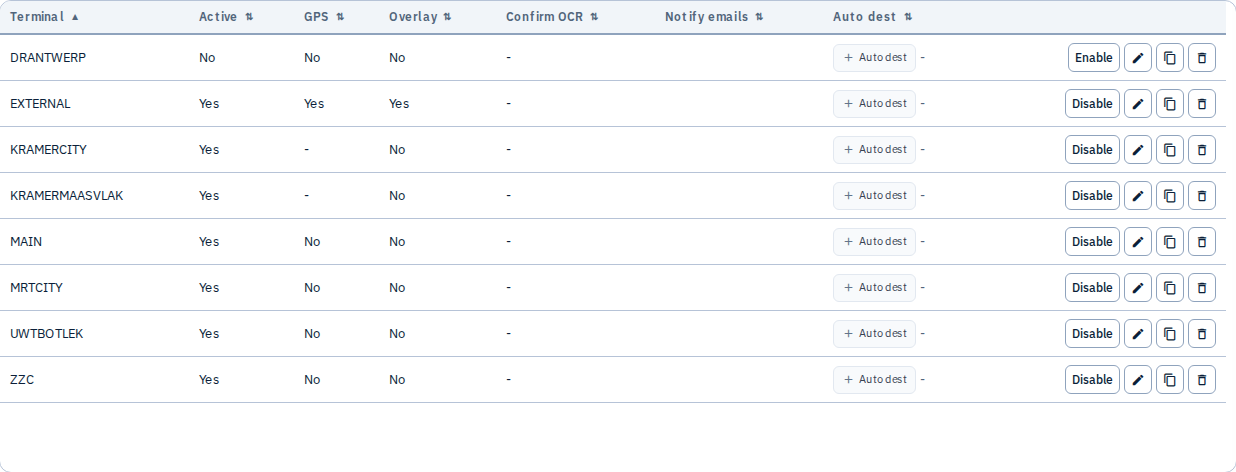
What you can do
- Add new terminals with a short code (for example
DKCPH01) - Edit retention days, default tags/notes, notification emails, and auto-send destinations
- Assign users so they can view and upload to specific terminals
- Enable or disable terminals without deleting historical data
- Delete terminals when they are no longer used (confirm carefully — this affects filtering and assignments)
Common fields
| Field | Purpose |
|---|---|
| Terminal code | Unique identifier shown across Gallery, upload, and send workflows |
| Retention | How long pictures are kept before automatic purge (may inherit tenant default) |
| Tags / Notes | Default metadata applied to new cases at this terminal |
| Notification emails | Addresses notified on certain events |
| Auto destinations | EDI destinations that receive pictures automatically after upload |
Common workflow
- Add terminal — short unique code, retention, optional default tags/notes
- Assign users — limit Gallery and upload visibility
- Link auto destinations — EDI sends after upload when configured
- Disable when a site closes; delete only when you accept losing filter/assignment references
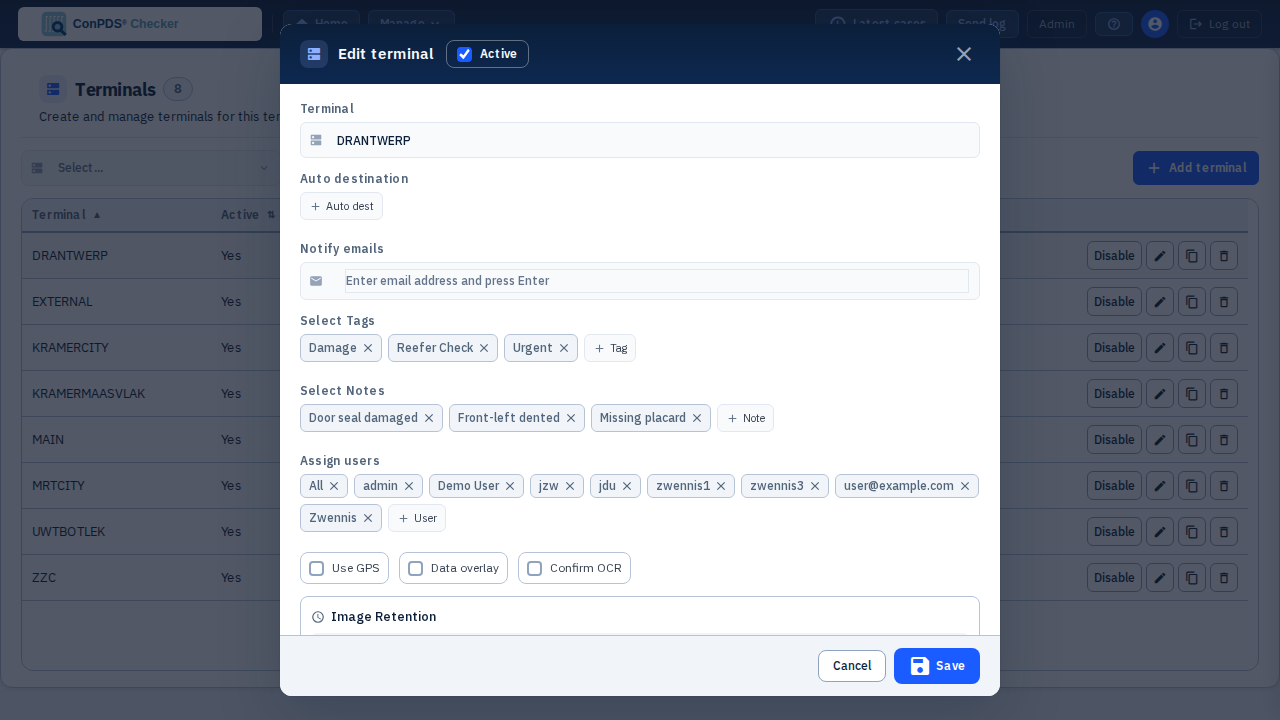
The edit form below shows terminal DRANTWERP with three tags (Damage, Reefer Check, Urgent) and three notes (Door seal damaged, Front-left dented, Missing placard) assigned via Select tags / Select notes — the same assignment visible from the Tags and Notes list pages.
Mobile app
Terminals defined here drive what mobile devices can use in the field.
| Tenant Admin | Mobile behaviour |
|---|---|
| Terminal codes | Loaded via /api/v1/mobile/device and /config as terminals[] |
| Required on upload | Every /picture upload must include a terminal the device is allowed to use |
| Default tags / notes | Applied server-side on upload for that terminal (from terminal row settings) |
| User assignments | Users only see Gallery cases for terminals assigned to them |
Mobile clients do not create terminals — they select from the list your administrators maintain.
Tips
- Use consistent terminal codes across your organisation — they appear in exports, EDI filenames, and mobile pickers
- Disable a terminal instead of deleting it when you want to preserve history but stop new uploads
- Review user assignments whenever staff change roles or sites