Notes
Notes are predefined remark options tied to terminals (similar to tags, but typically used for structured comments or checklist items) — they drive the mobile app note picker, Gallery/Upload History note filters, and terminal default notes. They are not the source of the note options shown in the web picture-edit note picker — see Web picture notes vs. this list below.
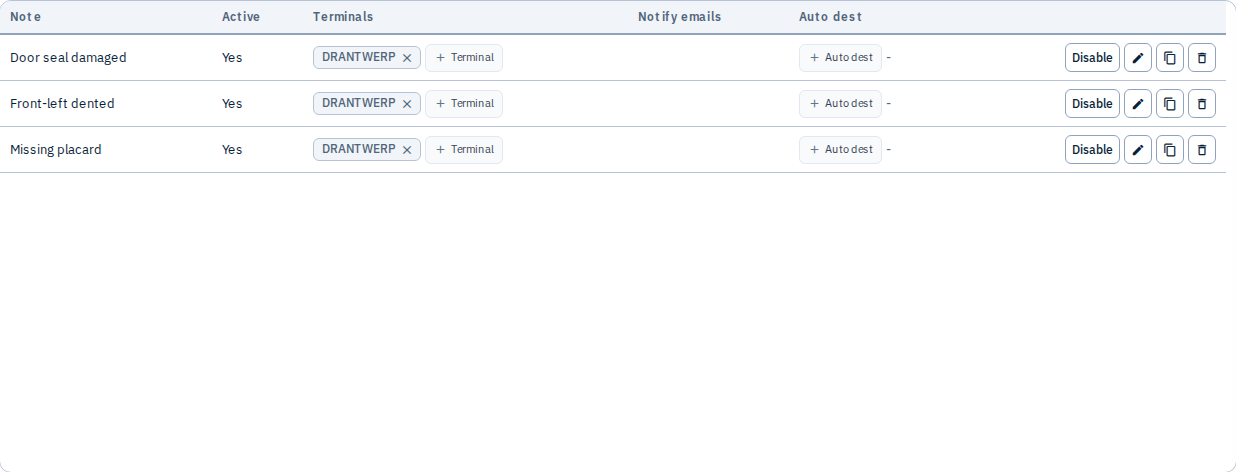
The example below shows three notes (Door seal damaged, Front-left dented, Missing placard) assigned to terminal DRANTWERP.
What you can do
- Create note presets with a label
- Assign terminals where each note is available — inline
+ Terminalchip here, from a note's edit modal, or from the Terminals page's Select notes picker (all three stay in sync) - Configure auto destinations for automated sends when a note is selected
- Enable or disable notes
- Delete notes no longer in use
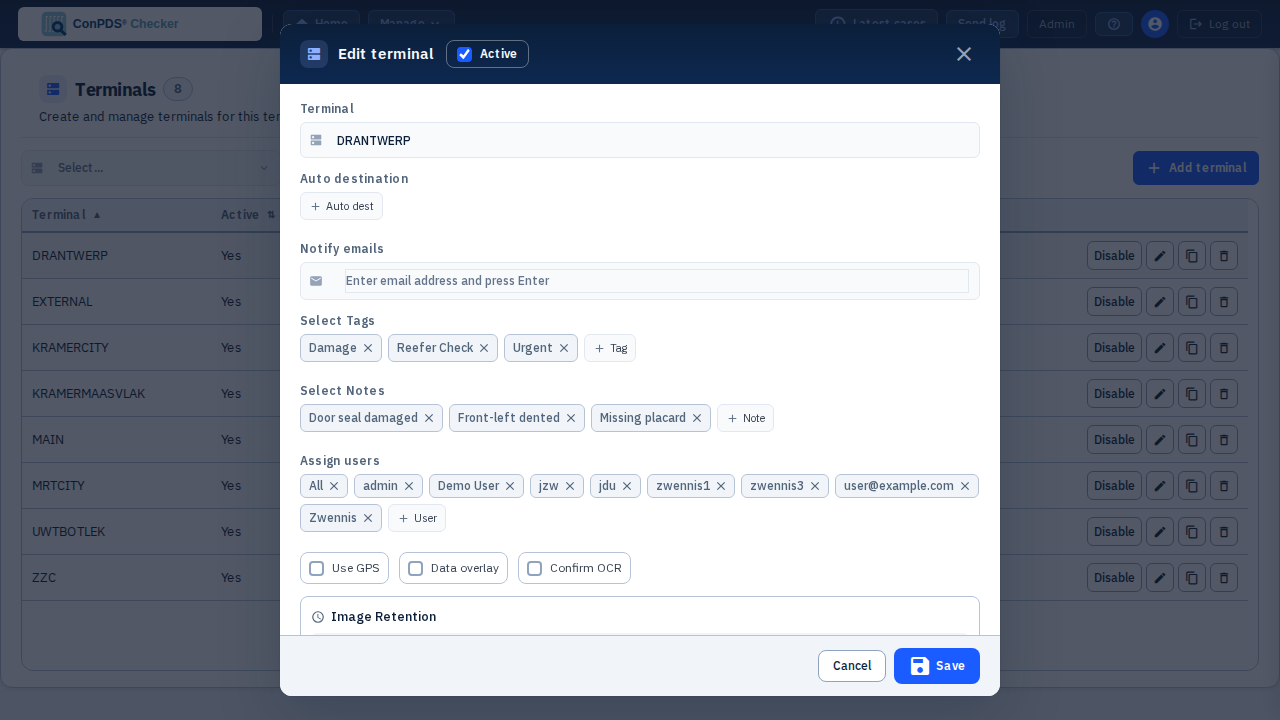
Editing terminal DRANTWERP shows the same three notes as chips, alongside its assigned tags:
Mobile app
Notes use the same /api/v1/mobile/tags endpoint as tags. The response includes a separate notes[] array.
| Tenant Admin | Mobile behaviour |
|---|---|
| Note presets (terminal-scoped) | Returned in notes[] for the requested terminal |
| User selection on device | Applied to picture/case metadata on upload |
| Terminal default notes | Applied server-side when configured on the terminal row |
| EDI destinations for terminal | /tags → actions[] with { action: "TERMINAL§DEST_NAME", label }; user picks action → upload action field triggers auto-send |
The mobile UI typically shows tags and notes as separate pickers; both lists are maintained under Admin → Tags and Admin → Notes.
Web picture notes vs. this list
The per-picture "+ Add note" picker in the web Gallery (picture edit modal and the Lightbox viewer's details panel — see Picture notes, comments, and geo tags) currently offers a fixed, built-in set of common inspection labels (Big hole, Non-ISO, TestNote, Small hole, Already damaged, Big dent, Overheight, Missing seal). It does not read from this Tenant Admin → Notes list.
This Notes list does drive:
- The mobile app's note picker (
notes[]in the/api/v1/mobile/tagsresponse — terminal-scoped) - Gallery and Upload History note filter dropdowns (tenant-wide, active notes only)
- A terminal's default notes (applied server-side on upload for that terminal)
If your workflow needs picture-level notes to match this configured list, use the mobile app (which does use it) or the filter/search suggestions as the source of truth for now — treat the two as separate note vocabularies until the web per-picture picker is wired to this list.
Tags vs notes
| Tags | Notes | |
|---|---|---|
| Typical use | Classification, routing, filtering | Structured remarks, checklist items |
| Gallery filter | Yes | Yes |
| Auto-send | Supported | Supported |
Tips
- Align note labels with your depot's standard inspection vocabulary
- Combine notes with tags for richer metadata without free-text inconsistency