Welcome
ConPDS Checker is the mobile inspection and repair evidence layer in the ConPDS operational evidence platform. Photos and metadata captured in the yard are linked to validated ISO 6346 container numbers, searchable in seconds, and retained on terms your organisation controls.
This help site covers tenant end-user and tenant administrator workflows in the web application — gallery, upload, send, account settings, and configuration menus. It does not cover internal platform administration or integration APIs.
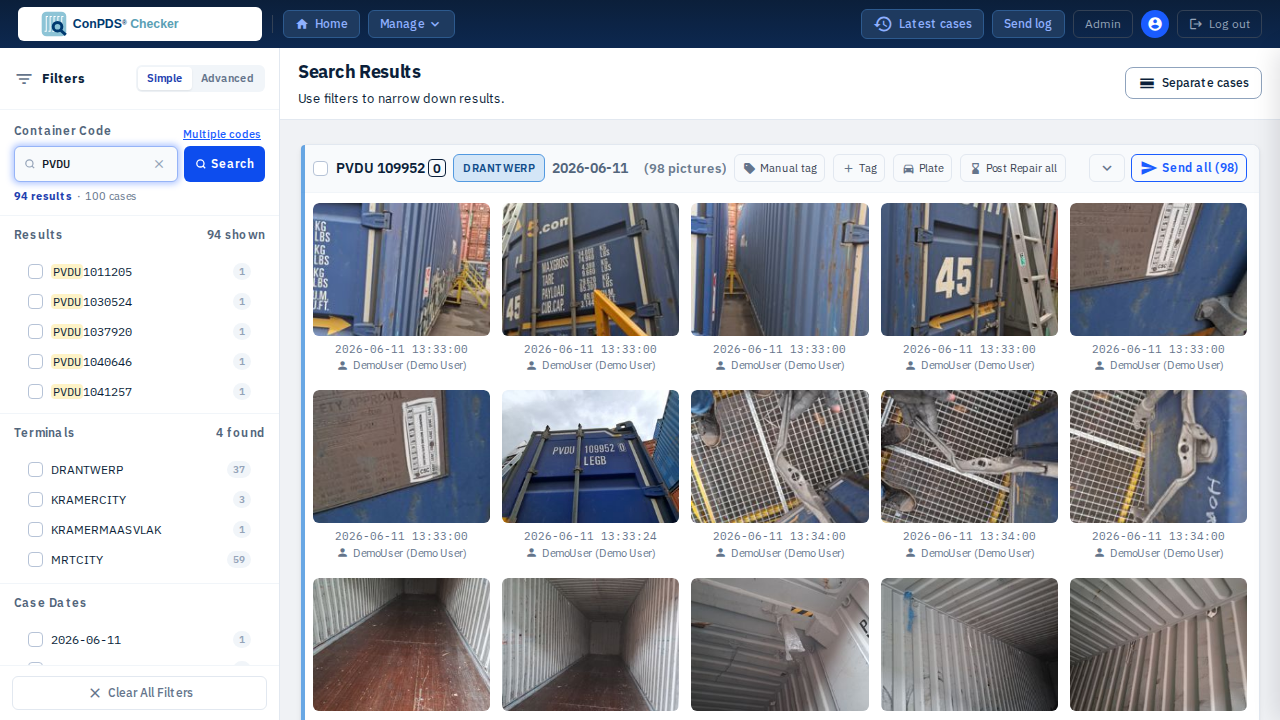
What ConPDS Checker does
Built to survive the dispute, the audit, and the years in between:
- Capture — Upload inspection pictures via the web interface or mobile apps in the field
- Organise — Search and filter cases by container, terminal, tags, and metadata
- Distribute — Send pictures to EDI destinations, email, or share links
- Retain — Manage upload history, recycle bin, and configurable retention per terminal
For product context, integrations (AEMS, DepotMaster, IMARS, and others), and customer stories, see conpds.com and ConPDS Checker on conpds.com.
Getting started
New tenant administrators: start with the Get started landing page and the Tenant Admin checklist.
To use ConPDS Checker you need:
- A user account with access to your tenant
- A modern web browser (Chrome, Firefox, Safari, or Edge)
- Your organisation's ConPDS Checker URL (provided by your administrator)
Mobile app (field capture): Download ConPDS Checker from the App Store or Google Play, enter your tenant's Customer PIN, then wait for a tenant administrator to approve the device. Registration screens: Register the mobile app. Administrators approve under Devices.
Navigation in the web app
The tenant header provides quick access to the main areas:
- Home — Return to the gallery landing view
- Latest cases — Open a drawer of recently updated cases
- Manage — Dropdown with Upload history, Recycle bin, Download daily bundles (permission-gated), and Upload pictures
- Send log — Send history (shows a badge when recent failures exist)
- Admin — Tenant configuration menus (terminals, users, mail ingestion, and more) — visible to users with admin access
- Account menu (user icon) — Profile, password, permissions, and personal contacts
Documentation sections
Use the sidebar to navigate:
- Gallery — Search, filter, and manage inspection cases
- Upload Pictures — Download the mobile app, web upload workflow, and container code requirements
- Send to Destinations — EDI destinations, email, and share links
- Upload History — Chronological upload log and exports
- Recycle Bin — Restore or permanently delete pictures
- Account & Security — Profile, password, and login
- Tenant Admin — Configuration for terminals, users, devices, mail ingestion, EDI, and audit log
Need help?
Contact your system administrator or ConPDS support for access issues, retention policy, or integration questions beyond this guide.
Tip: Use the search bar at the top of the page to quickly find information about specific features or workflows.